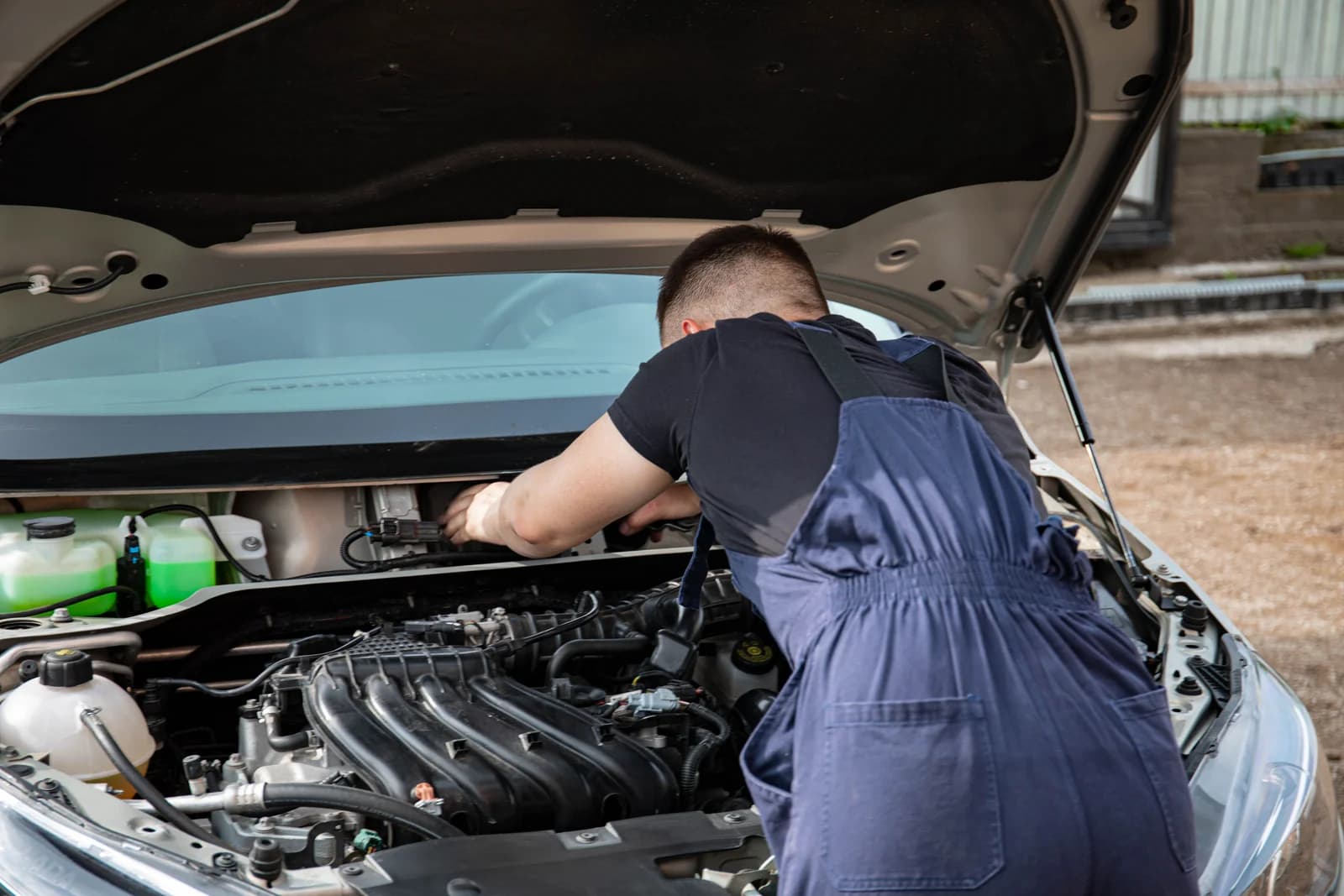
What is an OBD2 scanner?
OBD stands for On-Board Diagnostics, which refers to the diagnostic functions built into the car itself. Modern cars continuously monitor themselves. Sensors measure everything from air mass to coolant temperature, and the control units compare these measurements with the values they expect. If something deviates structurally, the car stores a fault code.
An OBD2 scanner (also called an OBD scanner, scan tool, or diagnostic equipment) is the device you use to make that stored information visible. The scanner queries the car's control units and displays the answers on a screen or in an app.
What is an ECU?
In diagnostics, you'll constantly encounter the term ECU : Electronic Control Unit. This is a small computer that controls a part of the car. The most well-known is the engine ECU, but a modern car has dozens of them: for ABS, airbags, automatic transmission, air conditioning, electric parking brake, lighting, comfort systems, and so on.
This distinction is important for your purchase. An inexpensive scanner usually only communicates with the engine ECU. More extensive diagnostic equipment communicates with many more modules.
Where is the OBD port located?
The OBD port is a 16-pin connector that, according to the standard, must be within reach of the driver, usually within about three feet of the steering wheel. In practice, you'll find it:
under the dashboard on the driver's side;
behind a cover panel in the center console;
near the fuse box;
sometimes in the storage compartment or near the ashtray.
You connect the scanner with the ignition on (or with the engine running in some models), after which the scanner receives power from the car itself. A separate power supply is usually not necessary.
How does the scanner communicate with the car?
Communication via the OBD port follows fixed protocols. In almost all cars from around 2008, this is CAN-bus (Controller Area Network), the data network over which the control units communicate with each other. Older vehicles use protocols such as K-Line, ISO 9141-2, KWP2000, or PWM/VPW.
New vehicles add two newer technologies: CAN FD (a faster variant of CAN) and DoIP (Diagnostics over Internet Protocol, diagnostics via an Ethernet connection). Some recent models from various premium brands, among others, require CAN FD or DoIP support. An older scanner that doesn't support these might not be able to scan such a vehicle, or only partially. Therefore, always check this for the make, model, year of manufacture, and engine variant you are working with.
What can you do with an OBD scanner?
What exactly you can do depends entirely on the type of scanner. These are the functions, from basic to extensive.
Read fault codes
The basic function. The scanner retrieves stored fault codes (also called trouble codes or DTCs, Diagnostic Trouble Codes). Such a code consists of a letter and four digits, for example, P0301. The letter tells you in which part of the car to look:
P = Powertrain, meaning engine and drivetrain;
B = Body, meaning bodywork and comfort systems;
C = Chassis, meaning brakes and suspension;
U = network and communication between control units.
For example, P0301 means: ignition misfire detected on cylinder 1. Note: a fault code indicates a symptom, not automatically the broken part. For P0301, the spark plug, ignition coil, injector, or compression could be the cause. The code tells you where to look, not what to replace.
Clear fault codes
After a repair, you clear the code, which turns off the light. Important to know: clearing doesn't fix anything. If the cause is still present, the code will reappear, sometimes within a few miles.
Analyze the check engine light
The check engine light (malfunction indicator lamp, technically MIL) only means that an emissions-related fault has been stored. Two situations can be distinguished:
Constantly illuminated light: there is a fault; usually, you can still drive cautiously and have it scanned in the short term.
Flashing light: this usually indicates severe ignition misfires that can damage the catalytic converter. Reducing speed and not continuing to drive is advisable in this case.
View live data
Live data is real-time sensor information from the car: engine speed, coolant temperature, throttle position, lambda values, fuel trims, injection timing, rail pressure, and so on.
This is often more valuable than the fault code itself. For example, with a complaint about irregular idling, the fault code might only show "mixture too lean," but in the live data, you can immediately see from the fuel trims whether the problem occurs under low or high load. This difference determines whether you're looking for a vacuum leak or a fuel problem.
Freeze frame
A freeze frame is a snapshot of the sensor values at the exact moment the fault code was stored. This shows you the conditions under which the fault occurred: at what RPM, speed, engine temperature, and load. For intermittent faults, this is often the best clue you have.
Read vehicle data
Most scanners can retrieve the VIN (Vehicle Identification Number), software calibration numbers, and emissions status. This is useful when buying a used car or to check which software version is in a control unit.
Maintenance functions and resets
More extensive diagnostic equipment can do more than just read. Think about resetting the service light after an oil change, retracting brake calipers for an electric parking brake, initiating a DPF regeneration, or calibrating a steering angle sensor. These functions fall outside the generic OBD2 standard and are therefore brand-dependent. More on this later.
Important: not every scanner can do all of this. A basic fault code reader only reads and clears fault codes and nothing more.
What is the difference between OBD, OBD2, and EOBD?
These three terms are often used interchangeably, but they don't mean the same thing.
OBD, also known as OBD1
The first generation of self-diagnostics, from the 80s and early 90s. Completely brand-specific: each brand had its own connector in its own location, its own codes, and sometimes its own scanning method, for example, by counting flashing lights. Diagnostics were limited to a portion of the engine functions.
Practical consequence: a standard OBD2 scanner won't work here. You need a brand-specific adapter or solution.
OBD2
The standardized norm that put an end to that. It defined a fixed 16-pin connector, communication protocols, and a set of standard fault codes. Mandatory in the United States from model year 1996. The focus is on emissions-related engine diagnostics.
Practical consequence: one scanner can read at least the emissions-related engine data from all vehicles that comply with the standard.
EOBD
The European implementation of the same standard, linked to European emissions legislation. Connector, protocols, and codes are identical to OBD2. In the EU, EOBD generally applies to gasoline vehicles from 2001 and diesel vehicles from 2004.
Practical consequence: a scanner that supports OBD2 generally also works on EOBD vehicles.
Why European motorists often encounter EOBD or E OBD
On European cars, the owner's manual, under-hood sticker, or specifications often state "EOBD" instead of "OBD2." You also see the spelling e obd or E OBD in online stores and advertisements, simply because people search for it that way.
The bottom line is that EOBD and OBD2 are two names for what is practically the same diagnostic level. If you search for eobd or obd scanner, you'll find the same category of devices. So don't let the term confuse you.
Does every OBD2 scanner work on every car?
No, and this is the biggest misconception when making a purchase.
Model year
As a rule of thumb for European passenger cars:
Gasoline: generally EOBD from approximately 2001.
Diesel: generally EOBD from approximately 2004.
Light commercial vehicles: followed later, depending on weight class.
These are guidelines, not guarantees. Some brands installed an OBD2 port earlier, other models were right on the transition. There are also cars with a 16-pin connector that do not fully comply with the standard. Therefore, always check by make, model, year of manufacture, and engine variant.
Gasoline versus diesel
At the level of generic OBD2 diagnostics, both work. For diesels, the difference lies in what's behind it: DPF soot filter, EGR, injector coding, rail pressure, and injection quantities. Anyone who wants to diagnose diesels practically needs more than just generic fault codes.
European vehicles
Most well-known scanners support broad European coverage, but the depth varies greatly. There are makes and models for which comfort modules, keyless systems, or newer electronic architecture are only partially supported. Here too, always check the manufacturer's compatibility list for your specific vehicles.
Brand- and model-specific support
This is the core of the difference between inexpensive and expensive diagnostic equipment:
Generic OBD2 diagnostics is legally mandated. Every car with OBD2 or EOBD must make emissions-related engine data available via standard commands. Any OBD2 scanner can access this.
Brand-specific diagnostics falls outside that standard. ABS, airbags, automatic transmission, air conditioning, electric parking brake, steering angle sensor, tire pressure system: these modules use protocols and codes determined by the manufacturer themselves. Only diagnostic equipment with the corresponding brand software can access them.
The warning you should remember
"OBD2-compatible" only means that the scanner fits the port and can read generic engine data. It does not mean it can read all modules of your car.
Specifically: a $20 adapter will neatly read P-codes from the engine but simply won't see the ABS code causing your brake light to illuminate. Not because the device is broken, but because that module falls outside the generic OBD2 range.
What types of OBD2 scanners are there?
Simple fault code readers
Small devices with a small screen, often without software updates. They read and clear engine codes and sometimes provide a brief description.
For whom: the motorist who only wants to know why the check engine light is on.
Capabilities: read and clear fault codes, sometimes basic live data.
Limitations: engine only, no system diagnostics, no service functions.
Price range: the lowest segment.
Not suitable if you want to go beyond the engine.
Bluetooth and WiFi dongles with app
A small box in the OBD port that connects to an app on your phone or tablet. This is where the greatest quality variance in the entire market lies.
For whom: the DIYer who likes to work with their smartphone.
Capabilities: fault codes, live data, custom dashboards, for some brands even system diagnostics via a paid app.
Limitations: highly app-dependent, functions often behind in-app purchases per car brand, connection quality varies.
Price range: low segment, but add the app costs.
At the lower end are nameless adapters that connect unstably, show erroneous codes, or even cause problems in some vehicles by remaining permanently in the port and draining the battery. At the higher end are decent adapters from well-known brands that can do surprisingly much with their corresponding app.
Standalone handheld scanners
A device with its own screen, cable, and software. No phone needed, ready to use immediately, usually more robustly built.
For whom: those who regularly work on their own car.
Capabilities: engine plus often ABS, airbags, and a range of maintenance functions.
Limitations: brand coverage and depth are more limited than with a diagnostic tablet, update policy varies greatly by model.
Price range: mid-segment.
This is the logical step for anyone who gets under the hood more than twice a year.
Diagnostic tablets with touchscreen
Essentially a tablet with diagnostic software and a wireless or wired VCI (Vehicle Communication Interface, the box that makes the actual connection to the vehicle).
For whom: the advanced DIYer and small garage.
Capabilities: in principle, all available modules of supported vehicles, active tests, service functions, broad brand coverage, full vehicle scan with report.
Limitations: purchase price and annual update costs.
Price range: high segment.
This is the level where diagnostics become serious.
Professional diagnostic equipment
The top segment adds coding, adaptations, extensive bidirectional control, and for some platforms, ECU programming, key programming, or ADAS calibration.
For whom: garages and specialized businesses.
Capabilities: full diagnostics plus intervention in vehicle configuration.
Limitations: investment, requires knowledge and training, incorrectly used coding functions can cause damage.
Price range: professional segment, with a multi-year update budget.
For a garage that services all brands, this is not a luxury but a tool. For a private individual, it is almost always too much.
What functions do you really need?
Diagnostic equipment is sold with long lists of abbreviations. Here's what they mean and when they become relevant.
Useful for beginners
Read and clear DTCs: retrieve fault codes and clear them after repair.
Live data: view real-time sensor values while the engine is running.
Freeze frame: the sensor values at the moment the fault was stored.
I/M readiness: shows whether the self-tests of the emission systems have been completed.
Oil and service reset: reset the service light after maintenance.
I/M readiness deserves an explanation: the car periodically performs self-tests on components such as the catalytic converter, oxygen sensors, and EVAP system. If these tests have not been completed after a code clear, an inspection might fail based on that. Therefore, it's better to check it before driving to the inspection.
Interesting for advanced DIYers
ABS: read the anti-lock braking system, for example, for a defective wheel sensor.
SRS (airbags): read and clear airbag codes, for example, after a seat replacement.
Transmission: automatic transmission data such as oil temperature and shifting behavior.
EPB: put the electric parking brake into service mode to replace rear brake pads.
BMS: register a new battery so that the charging management is correct.
DPF: read soot filter status and, for supported vehicles, initiate a forced regeneration.
SAS: calibrate the steering angle sensor, for example, after alignment or steering rack replacement.
TPMS: read and learn tire pressure sensors.
Briefly about three of these abbreviations. EPB stands for Electronic Parking Brake: in cars with an electric parking brake, you can no longer manually retract the rear brake caliper; you need a scanner. BMS stands for Battery Management System: in cars with start-stop, a new battery must be registered, otherwise the system will charge incorrectly and the battery will fail prematurely. DPF is the diesel particulate filter.
Important for professional use
Active tests and bidirectional control: the scanner controls components itself, such as an injector, fan, or EGR valve, to check if it responds.
Coding: configure new or replaced modules for the specific vehicle.
Adaptations: set learned values, for example, after replacing a throttle body, clutch, or injectors.
Injector coding: enter correction codes after injector replacement in diesels.
Full vehicle scan with report: all modules at once, with an exportable report for the customer.
Brand-specific service functions: the extensive series of procedures per manufacturer.
Bidirectional control is the clearest difference between "reading" and "diagnosing." Instead of guessing if the fuel pump relay switches, you let the scanner control it and listen if it clicks. That saves hours of searching.
Buying an OBD2 scanner: what to look for?
Anyone who buys an OBD2 scanner without checking these points often buys twice.
1. Vehicle compatibility. Don't look at "works on 99 percent of all cars," but at the manufacturer's official vehicle list. Look up your make, model, year of manufacture, and engine variant there. Newer models with CAN FD or DoIP require explicit support.
2. Which systems you want to access. Determine beforehand whether you only need the engine or also ABS, airbags, automatic transmission, and comfort modules. This determines your price range more than anything else.
3. Software updates. Vehicles change every year. Diagnostic equipment without updates becomes visibly outdated within two to three years. Ask how often updates are provided and how long updates are included.
4. Update costs and subscriptions. This is the hidden cost. For professional equipment, a period of updates is usually included, after which renewal costs money annually. For app-based solutions, you sometimes pay per brand or per function. Calculate the costs over three to five years, not just the purchase price.
5. Language. Check if the interface and fault code descriptions are available in Dutch or otherwise in correct English. Poorly translated descriptions lead to incorrect conclusions.
6. Ease of use. A scanner you use twice a year should work logically immediately. Look at the menu structure, screen size, and whether it includes automatic vehicle recognition via the VIN.
7. App versus standalone device. An app is cheaper and always with you, but depends on your phone, the Bluetooth connection, and the continuity of the app. A standalone device is more expensive but works independently and is generally more stable in a workshop environment.
8. Wired versus wireless. Wireless works conveniently, especially during a test drive or when you're under the car. Wired is more stable for sensitive procedures. For coding and programming, a stable connection and good vehicle voltage are important, often achieved with a battery charger in practice.
9. Technical support. Can you reach someone if a vehicle won't communicate? Support and warranty handling weigh more heavily for professional use than a few hundred dollars difference in purchase price.
10. Future use. Buy for where you'll be in two years, not just for today. Anyone currently unsure about ABS access usually encounters that function within a year.
11. Price versus functionality. The right question is not "what is the cheapest," but "what is the cheapest that can do everything I need." Buying below that level will result in a device you'll have to replace again.
Which OBD2 scanner is right for you?
Advice per situation, rather than per brand.
"I just want to read the check engine light"
A simple fault code reader or a decent Bluetooth dongle with a reliable app will suffice. You read the code, look up what it means, and decide whether to proceed yourself or drive to the garage.
What to look for: that the dongle is from a recognizable brand, and that you remove it from the port after use.
"I regularly work on my own car"
Go for a standalone handheld scanner or an entry-level diagnostic tablet with at least engine, ABS, SRS, and common maintenance functions. Live data and freeze frame are not a luxury here but your most important tools.
What to look for: that the brand coverage truly includes your cars, and that updates remain available.
"I also want ABS, airbag, and maintenance functions"
Then you're looking at diagnostic equipment that reads all systems plus service functions such as oil and service reset, EPB, BMS, DPF, and SAS. This is the segment from the better handheld scanners to diagnostic tablets.
What to look for: which service functions are actually available per brand. "Supports EPB" does not automatically mean it works for your brand and model year.
"I have multiple car brands"
Choose breadth and depth simultaneously. A multi-brand diagnostic tablet with a long vehicle list is the logical choice here, because a brand-specific solution per brand quickly becomes more expensive than one good device.
What to look for: how many brands are included without extra payment, and whether the update subscription covers all brands.
"I use the scanner in a garage"
Then diagnostic equipment is a production tool. You need bidirectional control, coding and adaptations, a full vehicle scan with a report for the customer, fast software, and reliable support. Expect a multi-year update subscription and a second device as a backup if diagnostics represent a large part of your revenue.
What to look for: total costs over five years, support turnaround time, and whether the platform grows towards ADAS, key programming, or programming if you want to offer those services.
Common mistakes when buying an OBD scanner
Only paying attention to price. The cheapest device that can't do the job is more expensive than the right device. Someone who buys a $25 scanner for an ABS fault will buy a second scanner within a month.
Assuming every scanner supports every module. Generic OBD2 diagnostics covers emissions-related engine data. All other systems are brand-specific and therefore depend on the scanner's software.
Not checking compatibility. Looking up the vehicle list takes two minutes and prevents the most common return case. Do this by make, model, year of manufacture, and engine variant.
Not accounting for paid updates. Look beyond the purchase price. Explicitly ask how long updates are included and what renewal costs.
Confusing a cheap Bluetooth adapter with professional diagnostic equipment. A dongle for a few tens of dollars plus an app is fine for knowing why a light is on. It is not a substitute for diagnostic equipment that controls components, codes modules, and performs adaptations.
Leaving the adapter permanently connected. Some dongles keep the car awake and drain the battery if the vehicle is stationary for a few days.
Clearing fault codes without diagnosis. Clearing without investigating the cause also removes the freeze frame data that you could have used well for the next fault.
Frequently asked questions
What is the best OBD2 scanner for beginners?
There isn't one single best scanner, but there is a best choice for each situation. For someone who exclusively wants to understand why the check engine light is on, a simple fault code reader or a quality app solution is enough. Someone who works on their own car is better off with a standalone scanner that also supports ABS, airbags, and maintenance functions.
Can I read all faults with an OBD2 scanner?
No. With generic OBD2 diagnostics, you read emissions-related engine data. Systems like ABS, airbags, automatic transmission, air conditioning, and comfort modules fall outside that standard and require diagnostic equipment with brand-specific software.
Can you clear an engine fault yourself?
Yes, you can with almost any scanner. But clearing doesn't fix the underlying cause. If the problem persists, the code will return. Only clear after you know what's wrong, and first record the freeze frame data.
Is OBD2 the same as EOBD?
In practice, it amounts to the same thing. EOBD is the European implementation of the same standard, linked to European emissions legislation. A scanner that supports OBD2 generally also works on EOBD vehicles.
From what year of manufacture does a car have OBD2 or EOBD?
For European passenger cars, the rule of thumb is: gasoline from approximately 2001, diesel from approximately 2004. Light commercial vehicles followed later. There are exceptions around these transition years, so always check the specific vehicle.
Does an OBD2 scanner work on diesel cars?
Yes. On EOBD diesels, you can simply read fault codes and live data. For diesel-specific matters such as DPF regeneration, injector coding, and EGR tests, you need more extensive diagnostic equipment.
Is a Bluetooth OBD2 scanner good enough?
For reading and clearing fault codes and viewing live data, a good Bluetooth scanner can be more than sufficient. For working on ABS, airbags, service functions, or active tests, you usually encounter limitations. Also pay attention to the app: functions are often behind a separate purchase.
How much does a good OBD2 scanner cost?
That depends on what you need. Simple code readers and dongles are in the lowest segment, handheld scanners with system diagnostics in the mid-segment, and diagnostic tablets for professional use in the highest segment. For more expensive equipment, always include the update costs after the included period in your calculation.
Do you need a subscription for an OBD2 scanner?
Not always. Simple readers work without a subscription, but they also don't receive new vehicle coverage. Professional diagnostic equipment usually comes with an included update period, after which you can renew. Without updates, the device will continue to work on the vehicles it already knows, but support for newer models will fall behind.
Which OBD2 scanner do I need for professional use?
For garage work, you need diagnostic equipment with full system coverage, bidirectional control, coding and adaptations, a report function for the customer, current software, and support. Choose a platform that suits the brands you work with and the services you want to expand.
Conclusion
Buying an OBD2 scanner becomes simple once you answer one question: how deeply do I need to look into the car?
If you only want to know why the check engine light is on, a simple fault code reader or a decent app solution will suffice.
If you regularly work on your own car, a standalone scanner with ABS, airbags, and maintenance functions is the sensible step.
If you work on multiple brands or in a garage, you need diagnostic equipment with full vehicle diagnostics, active tests, and coding capabilities.
Remember the two most important points from this article. First: OBD2 and EOBD only guarantee generic engine diagnostics; all other modules are brand-specific. Second: always check compatibility by make, model, year of manufacture, and engine variant, and include update costs in your comparison.
Do you know what level you need? Then the next step is comparing specific equipment. In our brand guides on Topdon diagnostic equipment and ThinkCar diagnostic equipment, we discuss functions, vehicle coverage, and update policies per series, so you can translate "this is what I need" into "this device fits that need."